
SMS opt-in
Sagur sends one-time passcodes so customers and home service professionals can verify their mobile number when they sign in or register. These are transactional verification texts only. Sagur does not send marketing or promotional texts.
How you opt in
Opt-in happens on the sign-in screen of the Sagur mobile app, shown below. You enter your mobile number and tap Send code. Tapping Send code requests a one-time passcode and is your consent to receive that verification text. Consent is not a condition of purchase, and you can stop at any time by replying STOP.
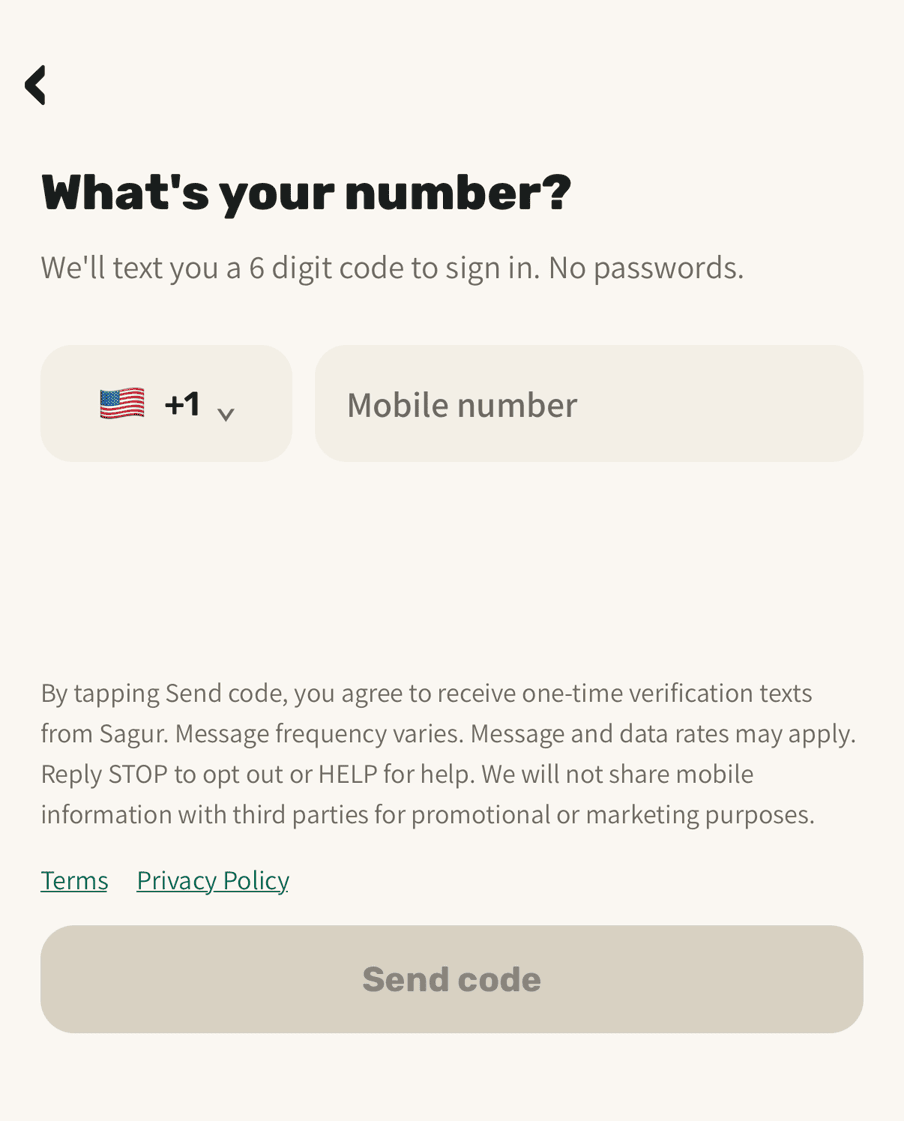
The disclosure shown on that screen
By tapping Send code, you agree to receive one-time verification texts from Sagur. Message frequency varies. Message and data rates may apply. Reply STOP to opt out or HELP for help. We will not share mobile information with third parties for promotional or marketing purposes.
Message frequency
Message frequency varies. You receive one verification text each time you request a sign-in code, and only when you request it.
Stopping messages and getting help
Reply STOP to any Sagur text to opt out. You will get one confirmation that you have been unsubscribed, and nothing after that. Reply START to opt back in. Reply HELP for help, or email [email protected]. Message and data rates may apply. Carriers are not liable for delayed or undelivered messages.
Your mobile information
Your mobile information will not be sold or shared with third parties or affiliates for marketing or promotional purposes. Full detail is in the Privacy policy, and the SMS program terms are in the Terms.