
Payments And Payouts
A Visible Payment Record For Both Sides
Sagur keeps the booking, approval, and payout on one record. Here is exactly how the money moves, what each side can see, and what happens if a job is disputed.
How Payment Moves
From Booking To Payout, In One Line
- 1Booking
The customer books the job.
- 2Payment
Payment is made to Sagur in the app.
- 3Work
The professional does the work.
- 4Approval
The customer approves, or the approval window ends with no dispute open.
- 5Payout
The professional payout process starts.
The exact policy, stated once:Customers pay Sagur in the app when they book. Customer approval, or the end of the approval window when no dispute is open, starts the professional payout process.
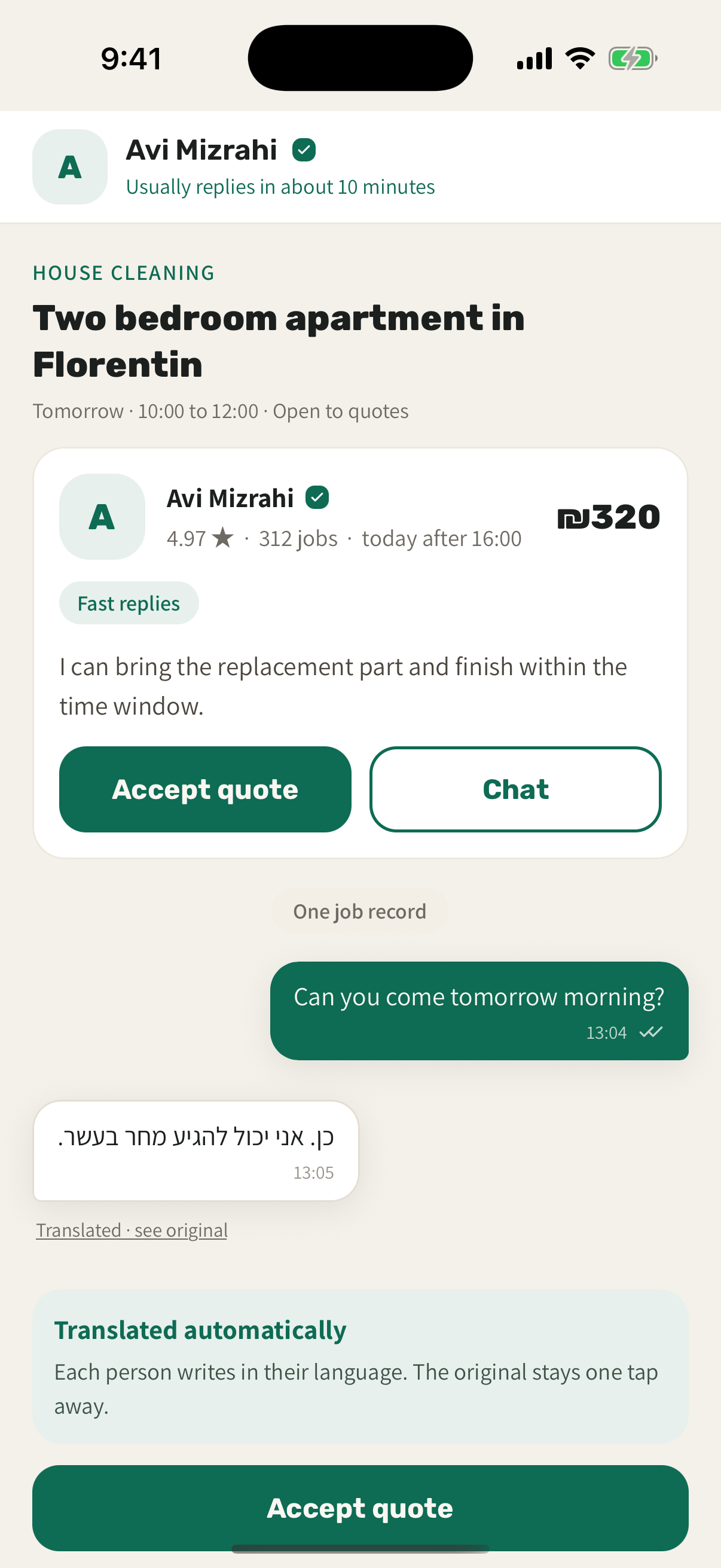
The Customer View
What The Customer Sees
The payment sits on the job from the moment you book. After you approve the finished work, the receipt is kept on the same record, so the booking and the work it paid for stay together in one place.
The Professional View
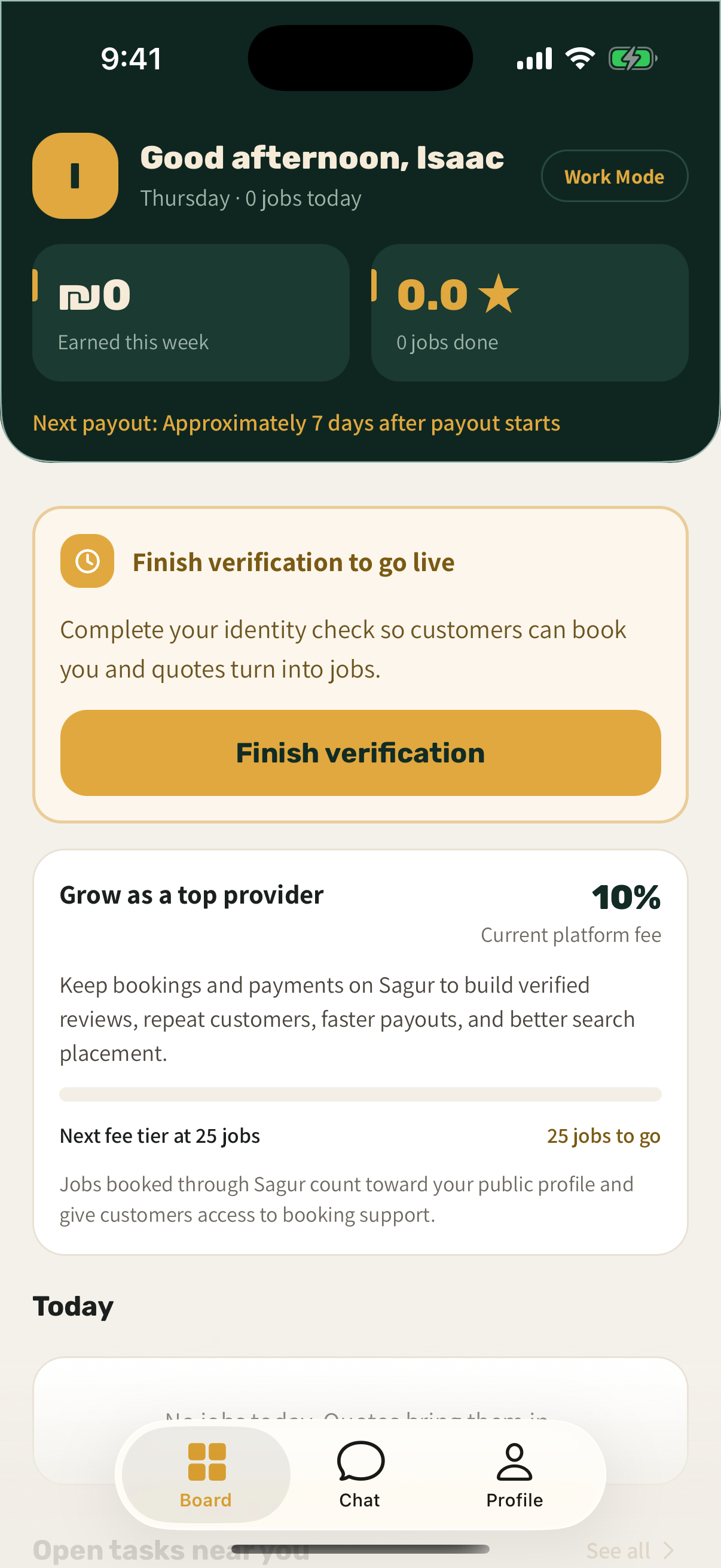
What The Professional Sees
Work Mode shows the payment record before the work begins and follows the payout status after approval.
- A payment record, not collection chasing
Customers pay Sagur in the app. You can see payment status and the payout record without chasing customers for collection.
- Operational control
Choose your service area, schedule, services, prices, and which jobs you want to quote.
- Verified reputation
Completed Sagur jobs can build a verified review history tied to real work.
The Numbers
The Fees, Stated Plainly
Every fee that can apply, taken straight from the Sagur fee policy. Nothing is hidden and nothing is added here.
The approximate payout for a job is shown before it is accepted, after applicable fees and withholding.
If Something Goes Wrong
Disputes And Refunds
If a dispute is opened in time, Sagur pauses the provider payout, reviews evidence from both parties, and may issue an eligible full or partial refund.
Paying cash outside Sagur removes the Sagur booking record, dispute review, refund review, payout tracking, and verified job review provenance.
Open an in-app support case for the fastest, most complete help with a Sagur job or account.
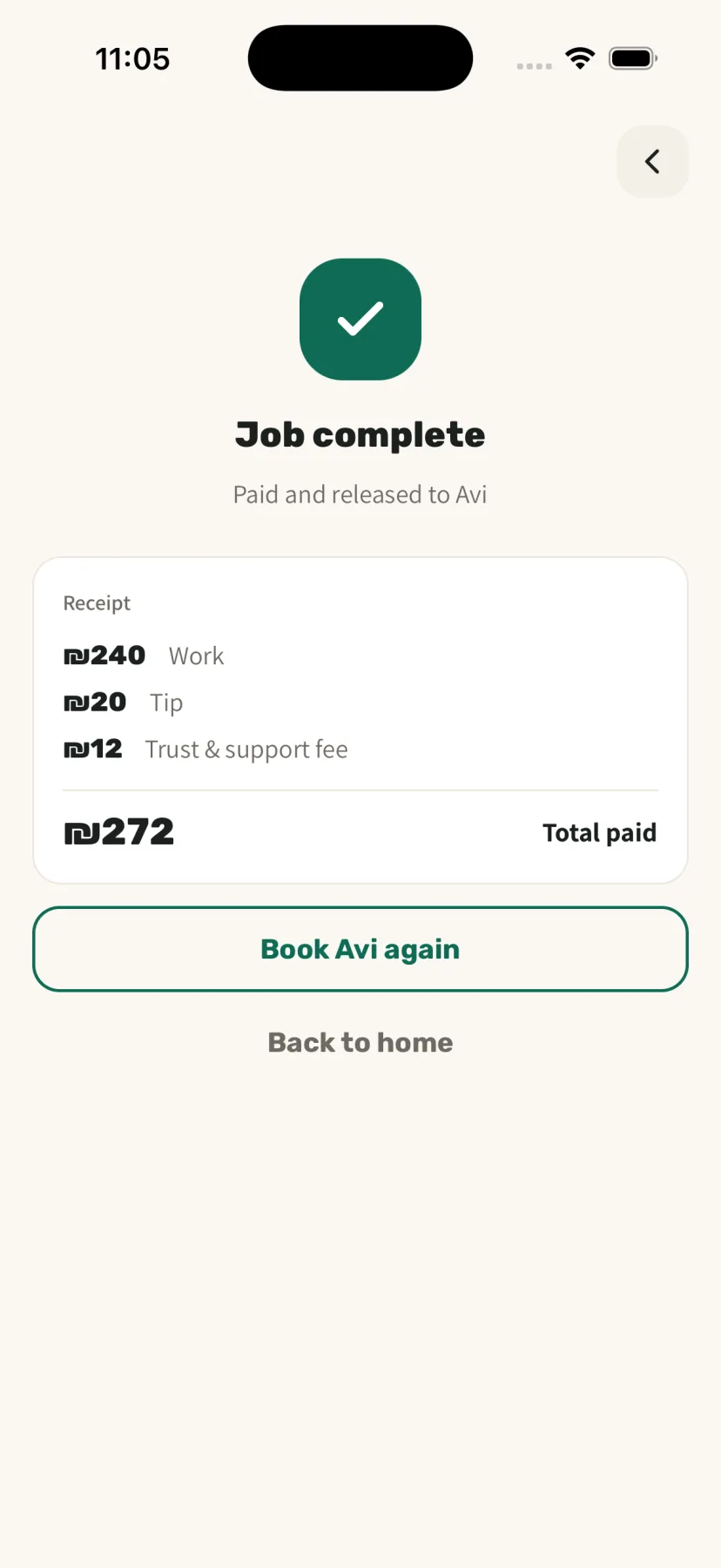
One Record
One Job, Start To Finish
Booking, payment, approval, and receipt stay on the same job, so the record still holds after the work is done.
A Payment Record You Can Point To
Post a job as a customer, or set up Work Mode as a professional. The payment record works the same way for both.
Launching in Tel Aviv, Jerusalem, and Haifa. Availability depends on professional coverage for the task.