
- Calls and message threads spread across your phone
- Prices you have to remember or screenshot
- Details lost between messages and photos
- Language gaps with no easy translation
- Cash with no record if something goes wrong
For your home
One home job, from first message to final receipt
Sagur turns scattered calls, messages, and screenshots into one request that carries your home job from the first description to the receipt. Post for free, compare real quotes, and keep every decision in one place.
Why homeowners choose Sagur
Everything the job needs, in one app
The same request carries the price, the people, the conversation, and the record, so nothing important gets lost between apps.
- 01
Post once, with the details
Describe the job, add photos, and keep every reply connected to one request. Posting is free.
- 02
Compare real quotes
See each professional's price and timing, ask questions, and choose the right fit for your home.
- 03
Book a verified professional
Professionals complete identity and payout checks before they can become bookable on Sagur.
- 04
Keep your address private
Professionals see only an approximate area before booking. Your exact address is shared only after a confirmed booking, and only with the assigned professional.
- 05
Chat in your language
Pick Hebrew or English. Every message is translated so both sides follow the same conversation.
- 06
Keep one clear job record
Quotes, messages, booking updates, payment, approval, reviews, and dispute evidence stay together.
A real job, start to finish
Follow one job through Sagur
Here is a house cleaning job for a two bedroom apartment, from the first tap on the home screen to the record you keep afterward.
- Step 01
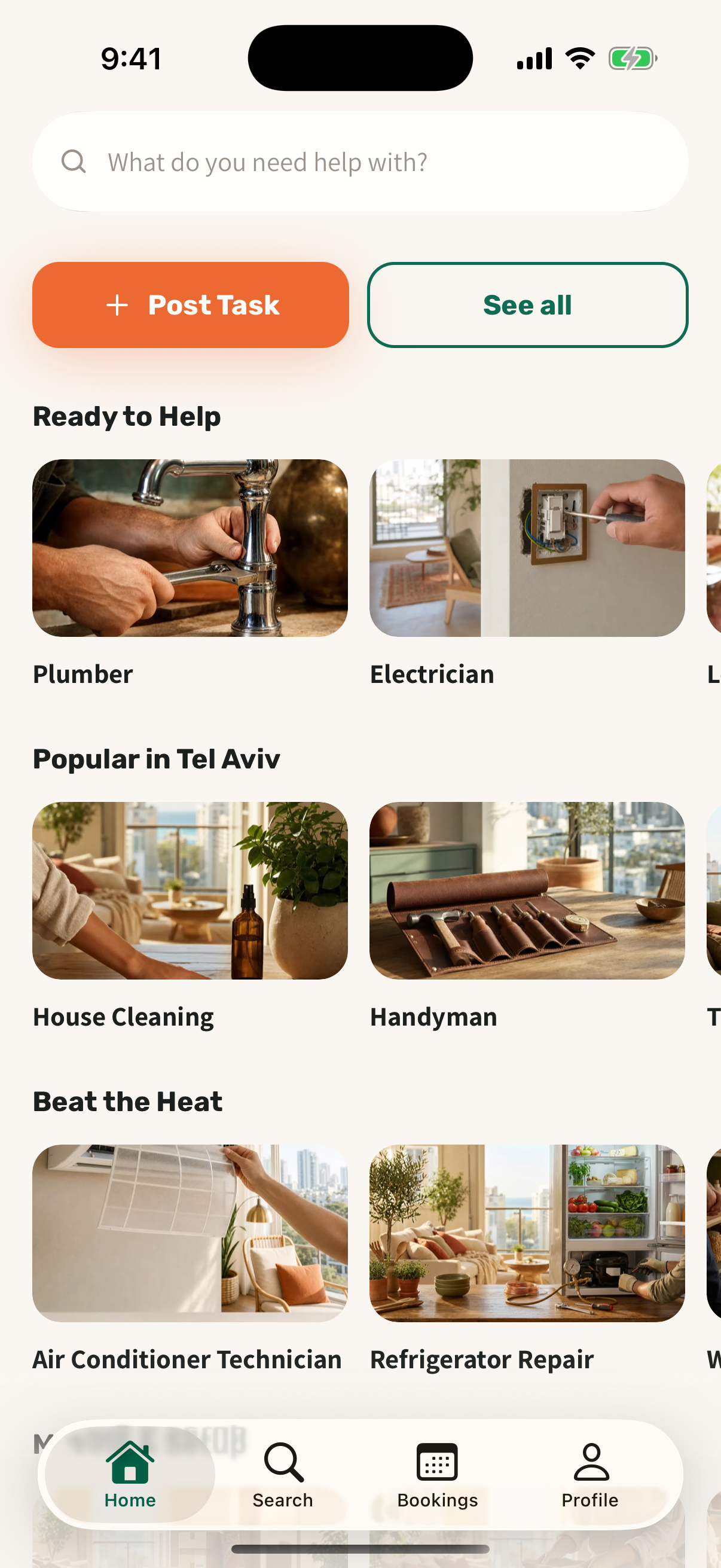
Start from your home screen
Open Sagur, tap post task, and pick the kind of help you need. Plumbing, cleaning, electrical, moving, and more are one tap away.
- Step 02
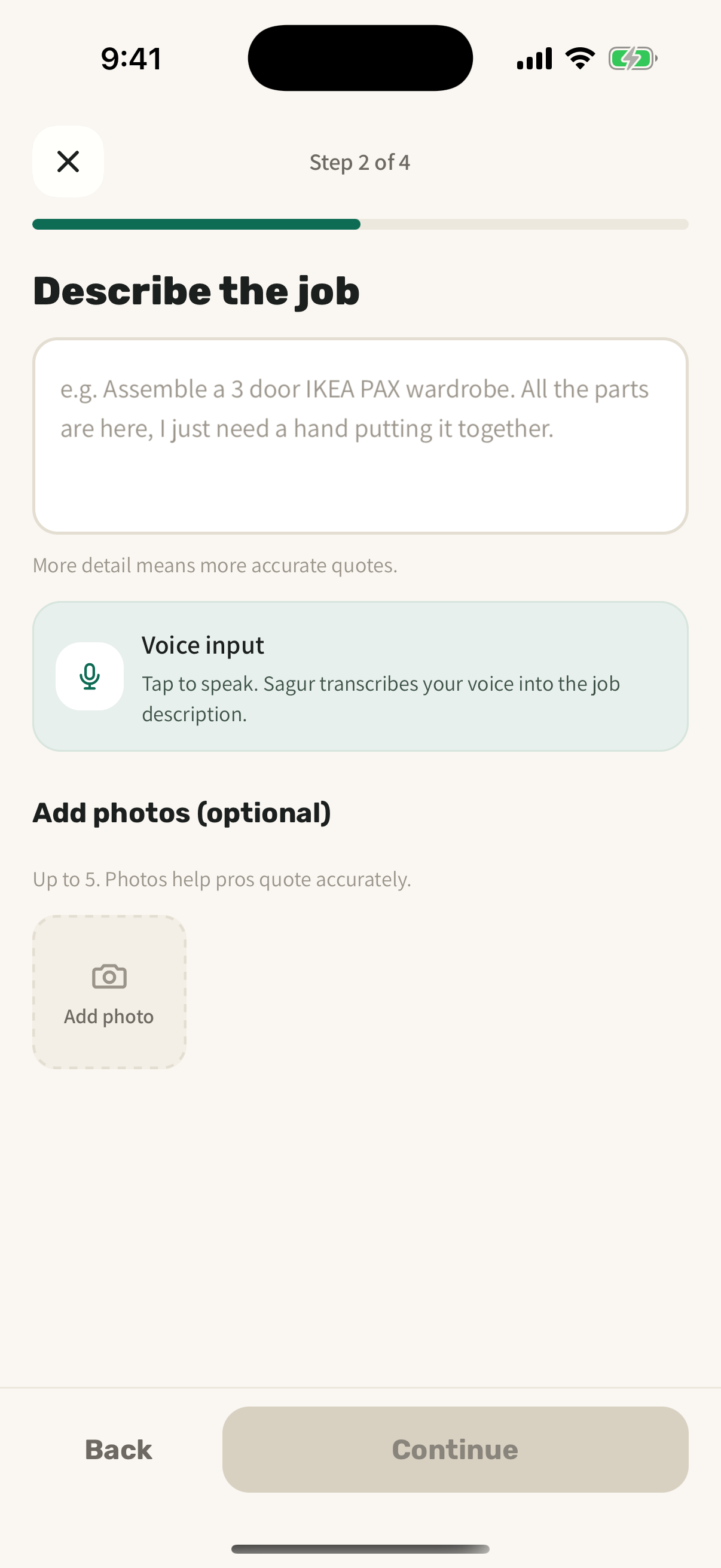
Describe it in your own words
Say what needs doing in a sentence or two and add a photo. You can speak it and let Sagur write the description. Posting is always free.
- Step 03
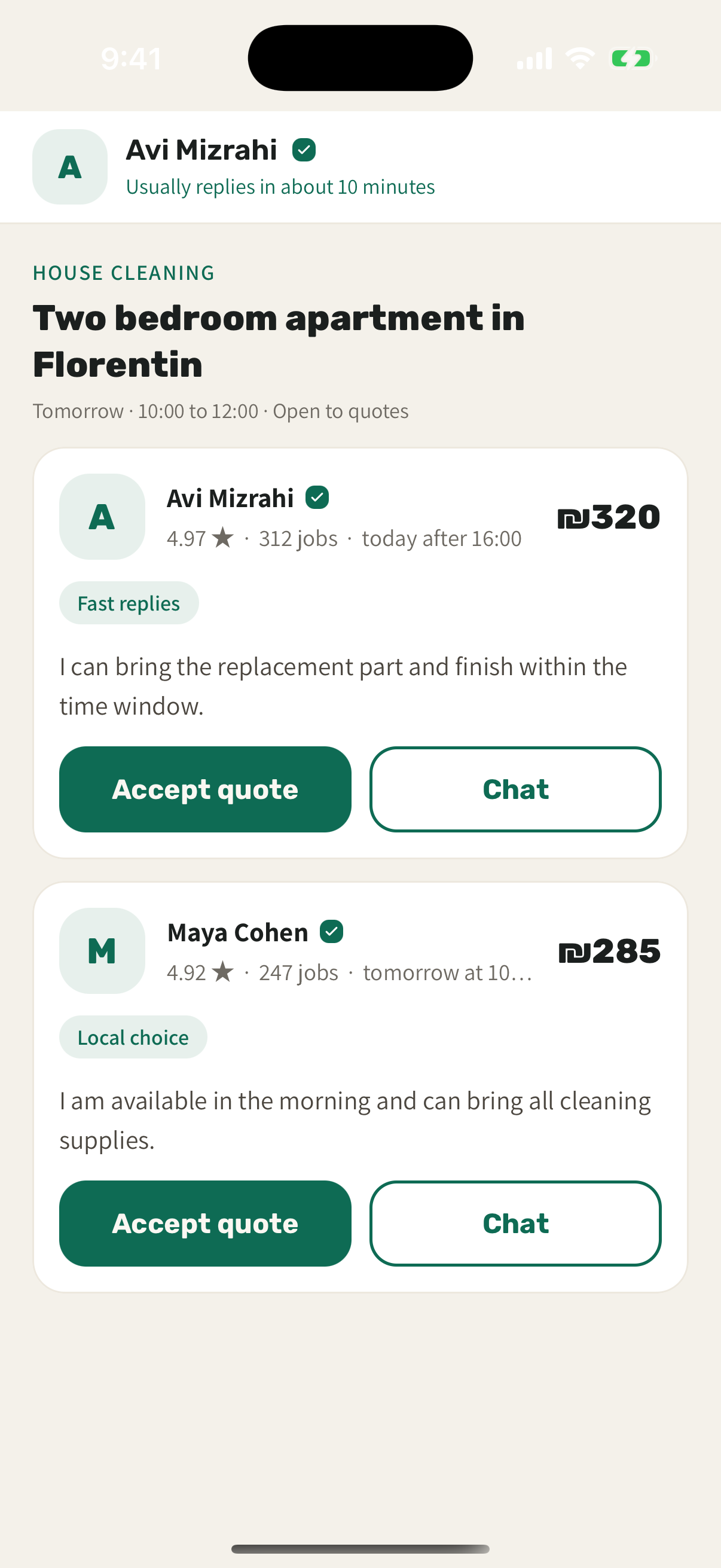
Compare real quotes side by side
Verified pros reply with their price, timing, rating, and completed jobs. Read each one, ask a question, and choose the fit for your home.
- Step 04
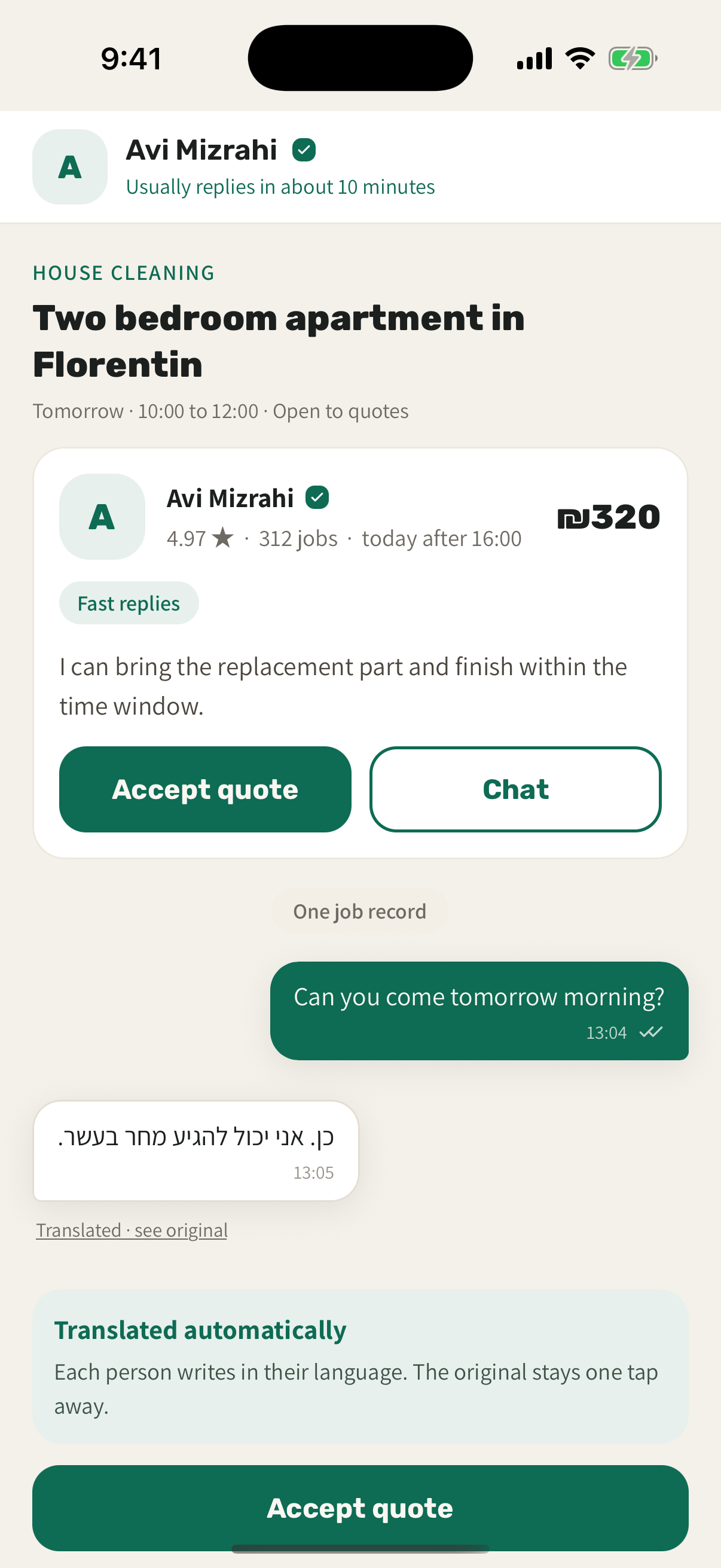
Keep the whole job on one record
Chat in Hebrew or English with every message translated, book the pro you picked, approve the work, and keep quotes, messages, and the receipt together.
The clear alternative
Better than a pile of calls and screenshots
The old way scatters a single job across your whole phone. Sagur keeps it in one place.
- One request that every pro answers in the same place
- Quotes with price, timing, and rating side by side
- Photos, chat, booking, and receipt on one job record
- Hebrew and English translated in the same chat
- Pay in the app and keep the payment record
Your next home job starts here
Post for free, compare real quotes, and keep the whole job on one clear record.
Launching in Tel Aviv, Jerusalem, and Haifa. Availability depends on professional coverage for the task.